


Applicable Instructions
This article applies to: Gate Web / App
Preparation before operation: Account registration and login completed
Estimated time required: 3 minutes
Operation Objective
This guide will show you how to check your Points Card balance, enable Points Card fee rates, and use Points Cards to offset trading fees on Gate Web and App.
Steps
Step 1: Check Points Card Balance
App Operation:
-
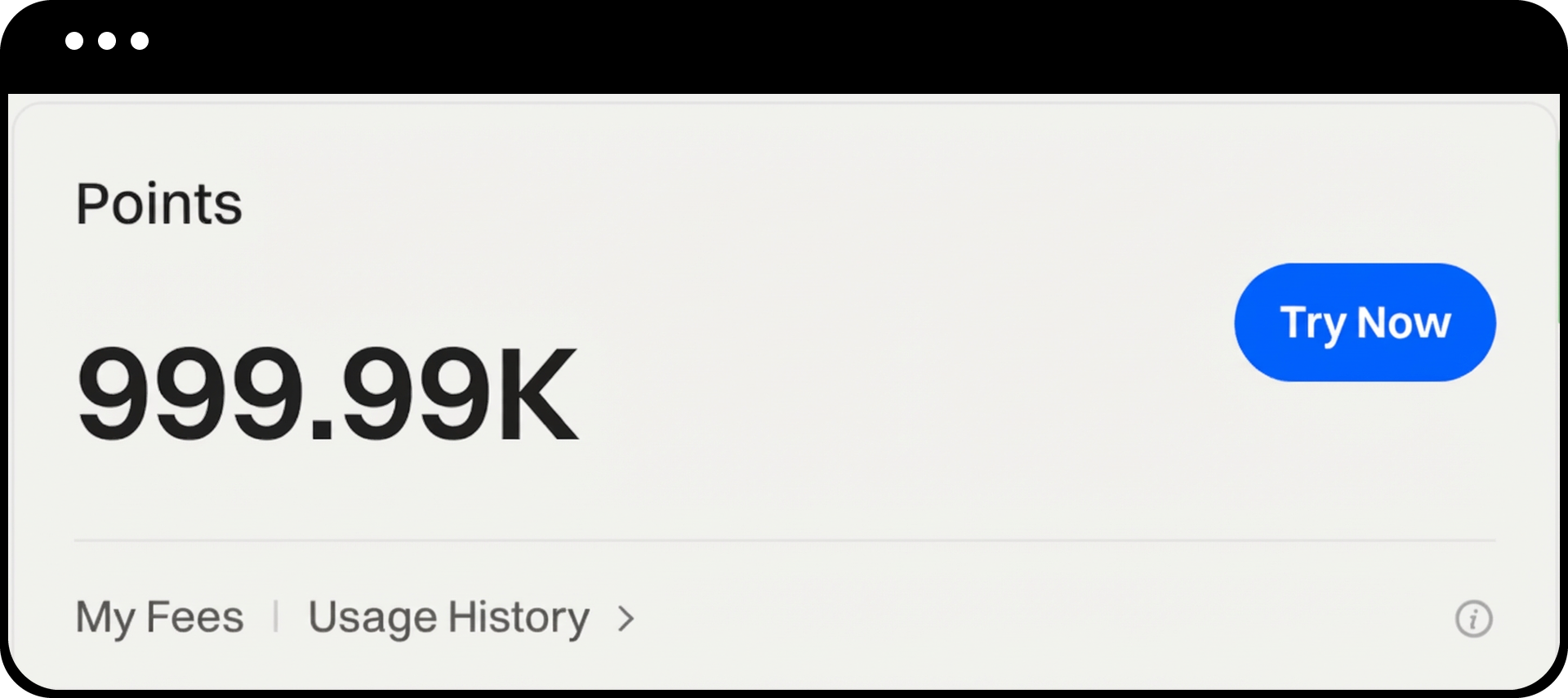
Open the Gate App and tap your profile avatar in the top left corner of the homepage
-
Select More Services - Activities - Coupon Center
-
Under All or by selecting Points Card from the dropdown, you can view your current Points Card balance
Web Operation:
-
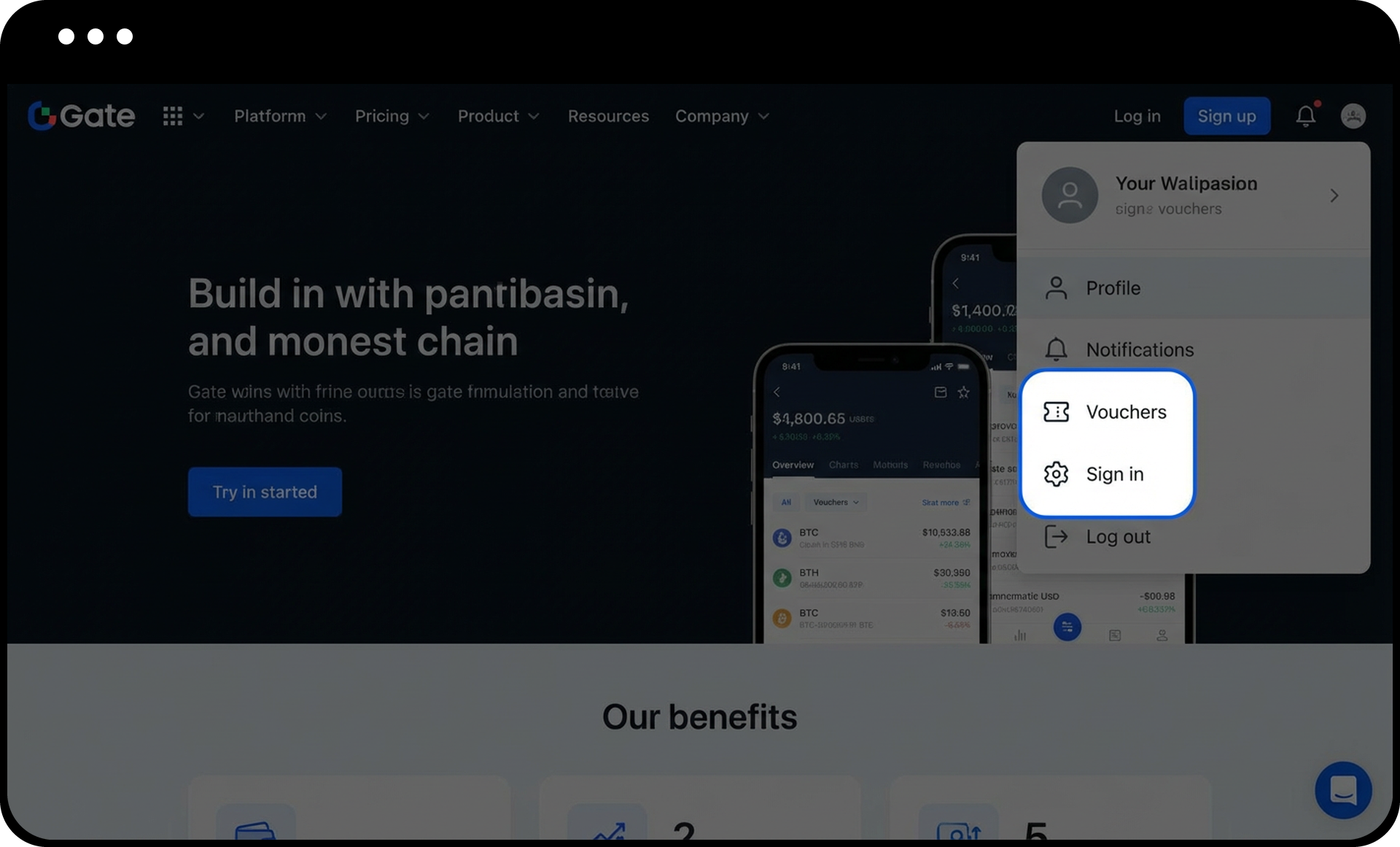
Log in to the Gate official website and click your profile avatar in the top right corner
-
Select Coupon Center
-
In the All or Points Card tab, check your current Points Card balance
Step 2: Enable Points Card Fee Rate
App Operation:
-
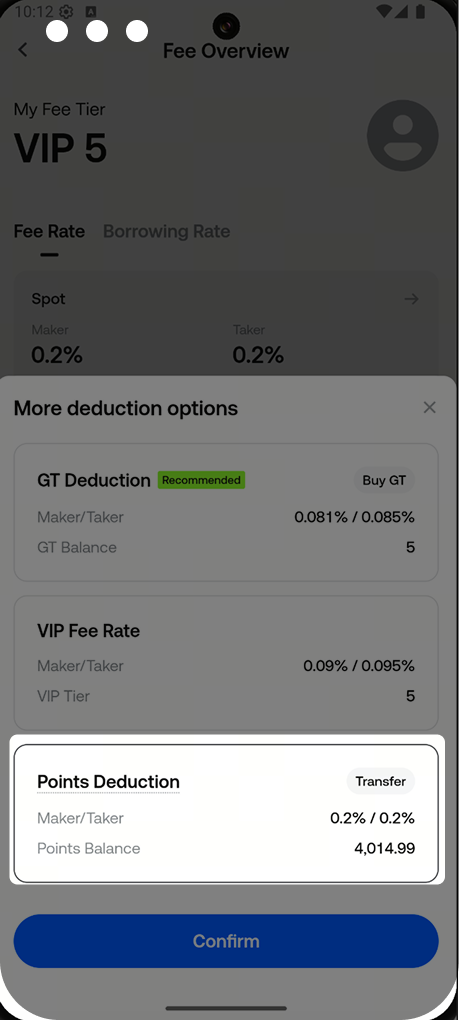
Tap your profile avatar in the top left corner of the App homepage
-
Select View VIP Benefits - My Fee Rate
-
Find the Points Card fee rate switch and enable the Points Card fee rate function
Web Operation:
-
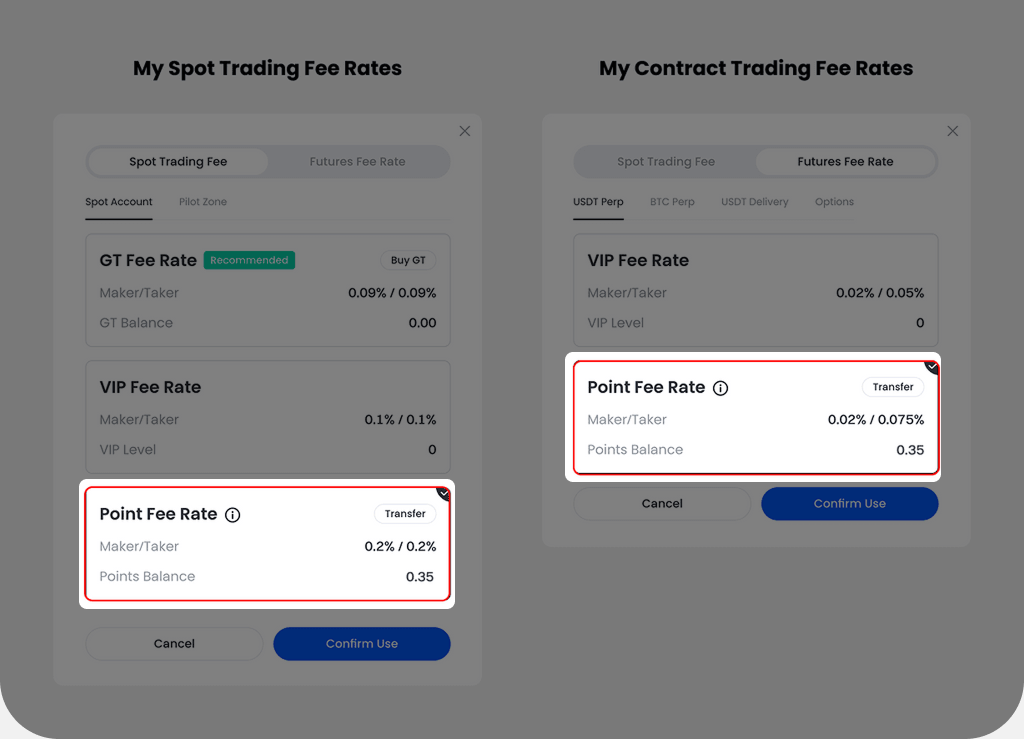
Click your profile avatar in the top right corner of the official website
-
Select My Fee Rate
-
Find the Points Card fee rate switch and enable the Points Card fee rate function
Step 3: Transfer Points Card (Required When Using Contract Points Card)
If you want to use Points Cards to offset contract trading fees, you must first transfer Points Cards from your spot account to your contract account.
App Operation:
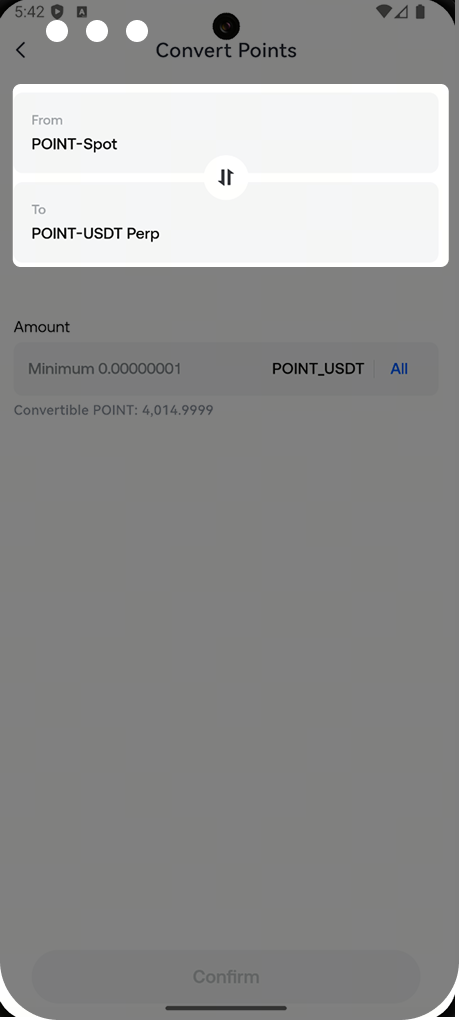
Web Operation:
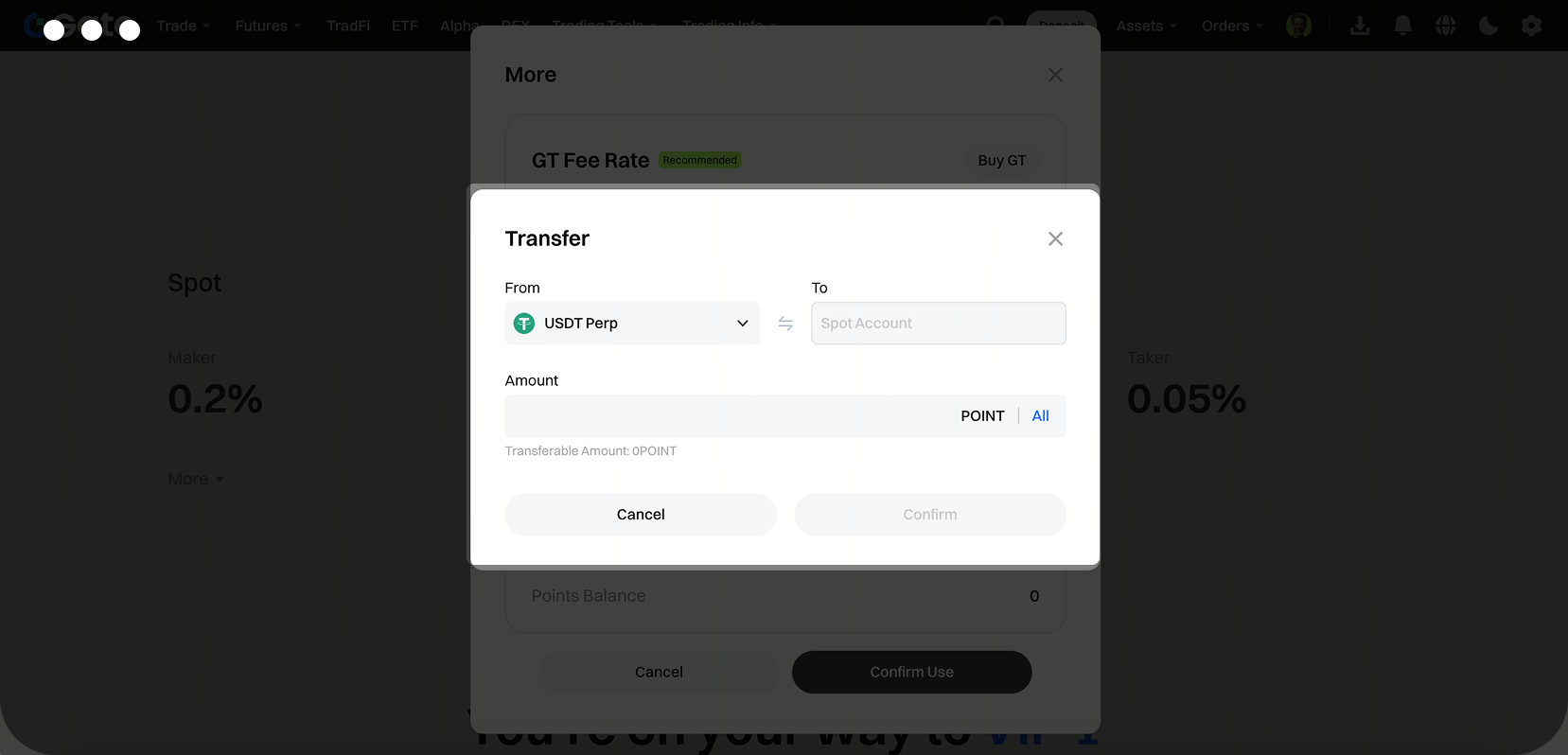
Notes
-
Validity Period Limitations: Points Card coupons have a validity period. Any Points Cards obtained after May 10, 2024, that are not used before expiration will be deducted. Points Cards acquired before 00:00:00 (UTC) on May 10, 2024, have no expiration date.
-
Usage Scope: Points Cards can be used to offset spot trading and contract Taker trading fees. They do not support offsetting contract Maker trading fees.
-
Transfer Restrictions: Points Cards cannot be transferred or withdrawn.
-
Old Points Card Notice: Old Points Cards cannot be used to offset fees.
Frequently Asked Questions
Q1: Why did my Points Card not apply when trading, even though I enabled the Points Card fee rate?
A: Please check the following:
① Is the Points Card within its validity period?
② For contract trading, confirm that the Points Card has been transferred to your contract account.
③ Make sure the transaction is not a Maker trade (Points Cards do not support offsetting Maker fees).
Q2: What happens to unused Points Cards when they expire?
A: Points Cards obtained after May 10, 2024, will be automatically deducted if not used before expiration. Points Cards acquired before May 10, 2024, have no expiration date. It is recommended to use Points Cards promptly to avoid waste.
Q3: Can Points Cards be transferred to other users?
A: Points Cards cannot be transferred to other users or withdrawn. They are for use only in your own account.
Gate reserves the final interpretation rights for Points Card usage rules and conditions. For detailed rules, please refer to the official announcement: https://www.gate.com/announcements/article/36437
Disclaimer
The content provided herein is for reference and educational purposes only and does not constitute any financial, investment, trading, or legal advice, nor does it constitute an offer or solicitation to buy or sell any digital assets. Gate makes no express or implied representations or warranties regarding the accuracy, completeness, or timeliness of the information contained herein. Product features, interfaces, rules, and fee structures may be updated or adjusted at any time. Please refer to the latest announcements and the actual information displayed on the Gate platform for the most accurate details.
Digital asset investments involve significant risk, and prices may fluctuate substantially. You may lose the entire amount of your investment. Please make decisions cautiously based on your own financial situation and risk tolerance after fully understanding the associated risks. If necessary, you are advised to consult an independent professional financial or legal advisor.
For more information about potential risks, please refer to Gate's Risk Disclosure and User Agreement.
